



If you've been following my earlier posts from the past few days, you've got approval from key stakeholders, such as your IT and finance teams, to progress a few things that will make the most of your existing Microsoft 365 investments in a very low-cost, low-risk way.
You've also moved all your historical documents from the shared drive to SharePoint.
Now you're wondering about three things:
- How is SharePoint actually structured? I keep clicking on links, and I've now got no idea where in the tenancy I am!
- How can I easily save my new documents to SharePoint?
- How can I get my emails (existing and new) into SharePoint too, so everything is in one easy-to-search place?
Introducing Ideagen Mail Manager
Fortunately, there is a tool that can help with all of these things: Ideagen Mail Manager (formerly known as OnePlace Solutions) is what we use for document and email management in SharePoint.
For around $2,600 per year for 10 users, your team can easily save all your emails and attachments to SharePoint, where relevant metadata is automatically captured.
As you can see in the screenshot below, in Outlook, it's a simple add-in that displays to the right of your emails, and you can quickly navigate to the right location to save.
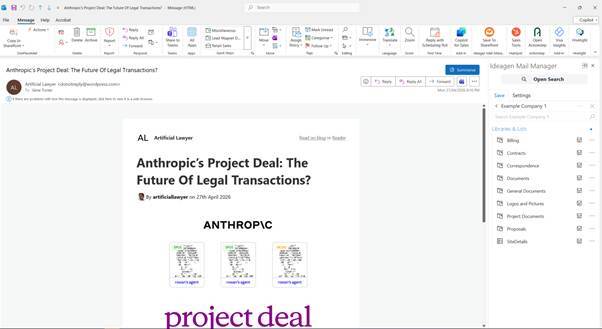
You can save emails one at a time, or in bulk (e.g. at the end of a matter).
Compared to saving emails directly into SharePoint, it will be a life-changing experience.
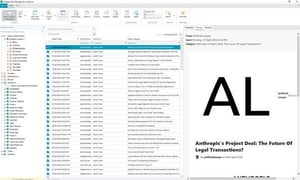
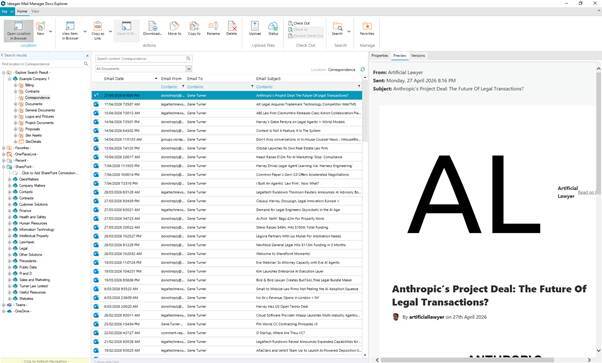
Once a document or email is saved, you can use OnePlaceDocs to see and interact with all your documents and emails in SharePoint. You can now preview the email in SharePoint, and when you open it, it opens in Outlook again.
You can also instantly see when an email has been filed to SharePoint, by anyone in your team, so you don’t end up with duplicate filing.
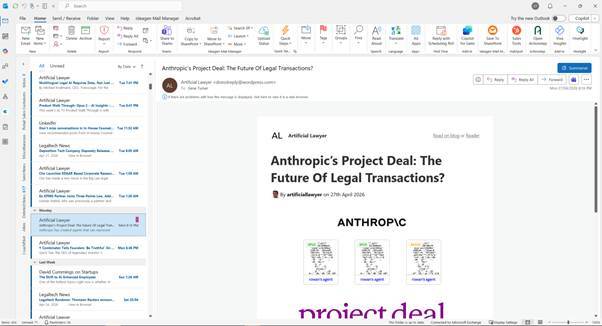
Ideagen have just released a new feature that automatically files all future emails in a conversation, saving even more time.
If your team currently has most of its valuable information, including draft and final documents or signed contracts, stored in individual Outlook accounts, this is one of the most valuable things you can do. When someone is sick or leaves the organisation, other team members can still quickly find the latest, most relevant information, and it will not be lost to the organisation after someone leaves and their Outlook account is deleted.
When working with Word documents, Excel, or PowerPoint, the OnePlace Add-in on the ribbon makes it very easy to save documents to SharePoint, OneDrive, or Teams in a consistent, easy-to-use way.
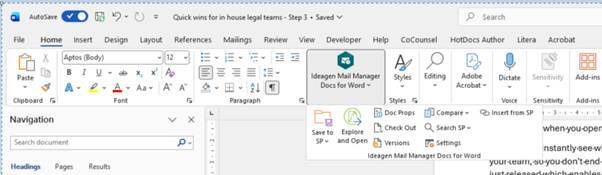
OnePlace Docs also helps you to see what your SharePoint structure actually looks like. As you can see in the image below, you can view a cabinet structure for the entire SharePoint tenancy that you have access to, as well as the underlying document library and folder structure within individual sites. You can also see Teams and OneDrive. If you're trying to work out where to save or search, this can be enormously useful!
Timing
I've suggested this as Step 3, but in practice, I would actually get OnePlace Solutions installed at the same time, or before, moving everything to SharePoint. The two really go together, as one of the benefits of OnePlace Solutions is that it provides a clear view of what your current SharePoint environment actually looks like. It helps to picture how you currently have your matters structured, and what you want for the future.
Even if you currently have a very messy SharePoint structure, it will be helpful to see and understand that, and to work better with what you have while you design a future state. However, OnePlace really comes into its own once you set up your ideal SharePoint structure and start working with it.
If you were to set up a new SharePoint structure without a tool like OnePlace Solutions, the benefits would be far lower. Your team wouldn’t be able to see the cabinet folder view of the new structure; they would continue to be confused by it, and it would most likely result in different sites being created in different ways because of their uncertainty.
Doing them together will likely result in lower overall costs, as it would make things more efficient, give better outcomes, and could still be done within a matter of days.
