



Now that you have your document and email management sorted, with a clear, well-structured SharePoint environment to work with, that will be what most individual lawyers need to get on with their work more effectively. There’s often not actually that much collaboration between lawyers on a day-to-day basis, so they will be happy to get on with their work and be left alone.
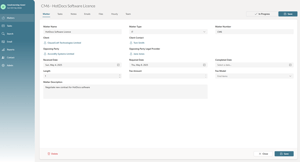
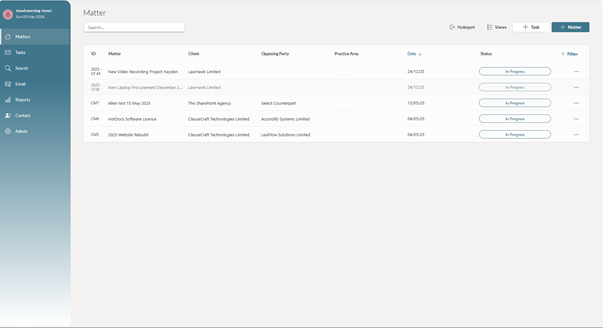
However, if you want the option to be able to see all of the team’s matters across a single view, and to be able to filter down and find particular matters for particular people, certain work types, or matters for particular departments, then I would recommend using a Microsoft Power App as a solid option that builds off your earlier work.
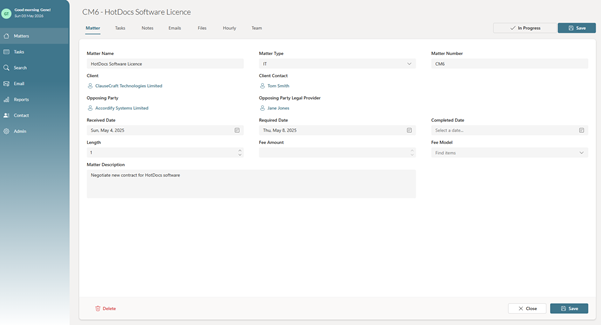
The benefit is that it uses the tech you are already paying for to bring together all the automatically created matters so they can be displayed and worked with more easily. The key is that you use the Power App (with Microsoft Power Automate running in the background) to create each matter. That way, each matter can be given a unique identifier, which will bind everything together across the various SharePoint lists, document libraries and folders each matter requires.
The SharePoint Agency have built such a Power App, working with LawHawk and a number of legal teams to identify the key requirements that are needed and to build them into an App that can be licensed almost immediately and deployed into your own SharePoint site, where all of the data is safely stored inside SharePoint within SharePoint document libraries and lists.
This can be continually updated as Microsoft capabilities improve and better ways of doing things are identified, and it means the legal and IT teams can focus on what they need to do as users, rather than continually updating and maintaining their own solution.
You can do this later, or at the same time as the earlier steps.
Once again, because a Power App such as this is already built and can be deployed almost instantly, and because it can automatically generate the new SharePoint structure for each matter, it often makes sense to do this at the same time as earlier phases.
Even if some of the broader capabilities within the Power App, such as allocating tasks, setting reminders, or viewing reports and analytics, are not used immediately, you still get the immediate efficiency benefits and the option to use more functionality as you free up time.
