



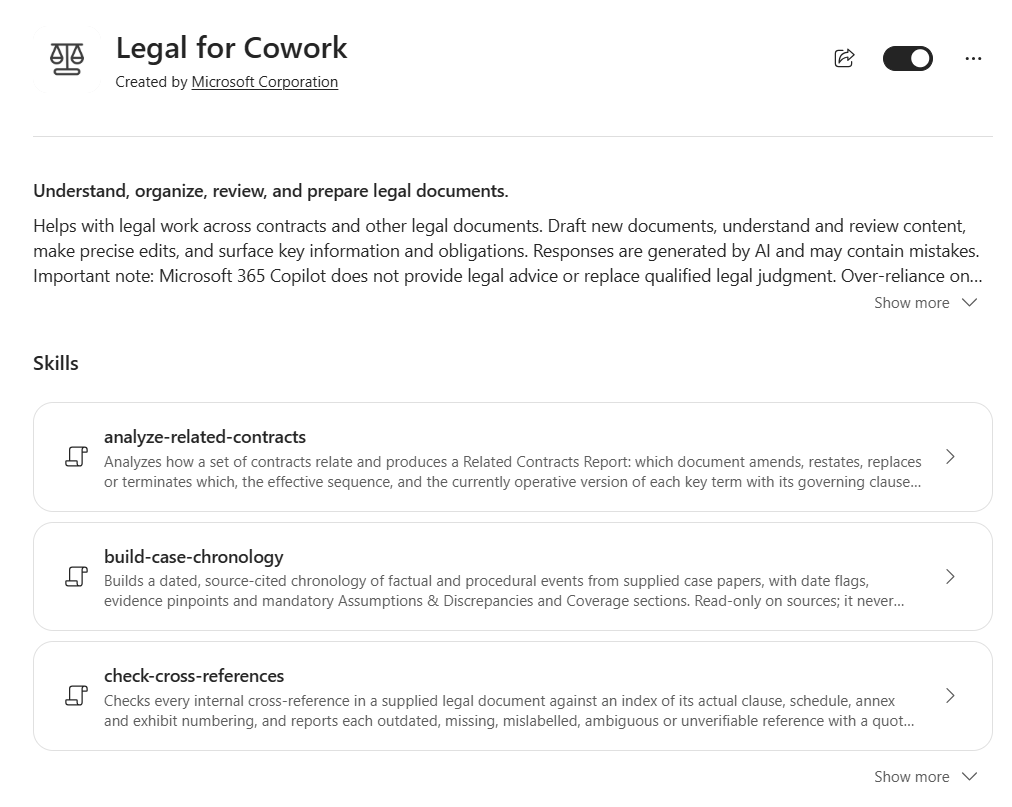
Microsoft has just released Copilot for legal, which became generally available to Microsoft 365 Copilot commercial customers on 15 October 2026. It comes as two plugins: a Legal plugin for Copilot in Word, and Legal for Cowork, which is built for multi-step work across agreements, email, meetings and files. Microsoft describes the solution as helping legal teams understand, organise, review and prepare legal documents.
Legal for Cowork contains 20 skills, and there is something here for most parts of a legal team. As it has only just been released, I haven't yet had a chance to test them, or to compare them against other AI tools such as Claude. I will do that, and report back. In the meantime, a number of the skills immediately appeal and are likely to be very useful for in-house legal teams. Here's a quick tour, based on Microsoft's own skill descriptions rather than my testing, which is still to come.
Document checking
Some of the skills are fairly basic, but they address everyday problems. There is a skill for checking cross-references, a separate skill for checking defined terms, and another for checking execution readiness.
Check Cross-References: checks every internal clause, schedule, annex and exhibit reference against the document's actual numbering, and reports anything outdated, missing, mislabelled or ambiguous, with suggested wording for the mechanical fixes.
Check Defined Terms: flags terms that are used but not defined, defined but not used, defined twice, or used inconsistently.
Check Execution Readiness: checks whether a document is complete enough to sign: party names, dates, signature blocks, and any leftover blanks, placeholders or open tracked changes.
These are likely to be useful on a day-to-day basis for making sure we don't send out documents containing obvious mistakes. Notably, they report and suggest; they don't change the document.
Editing and negotiating
Edit Contract: makes precise, minimal changes to an existing legal document, with every modification made as a tracked change.
Summarise Redlines: summarises the tracked changes in one or more redlined documents into a topic-grouped table, giving each change its practical or legal impact, the party that benefits, and a clause locator in the redlined source.
Review Contract: reviews a contract against a supplied playbook. It first summarises a newly introduced playbook for you to confirm, then reports each deviation and applies the supported changes as tracked changes.
Create Playbook: is for where you don't have a playbook. It derives one from a set of precedent agreements (signed deals, or drafts carrying your side's negotiation markup), identifying recurring positions, accepted alternatives and points that need a counsel decision. It delivers the playbook as a four-column Word table.
Managing contracts
Analyse Related Contracts: analyses how a set of contracts relate and produces a report setting out which document amends, restates, replaces or terminates which, the effective sequence, and the currently operative version of each key term with its governing clause.
Compare Key Terms: extracts one consistent set of legal and commercial fields across several documents and delivers a source-linked comparison in chat, a Word document or an Excel grid, with each value carrying its exact quote and clause locator.
Extract Obligations and Deadlines: extracts obligations, rights, deadlines, triggers and stated consequences from supplied agreements into a source-linked tracker, with one row per distinct action, delivered in chat, Excel or Word.
Drafting
Draft New Contract: turns one precedent agreement into a new working draft as an editable Word document, replacing every party-specific and transaction-specific detail with a visible placeholder. Then, optionally and often later, it fills those placeholders with values drawn from your own instructions, email and files.
Given my background in document automation, I'll be particularly interested to see how this one works in practice and where its limitations lie.
Draft Legal Memo: drafts a source-grounded legal memorandum, in chat or as a Word document, answering one defined legal question from supplied matter documents for a named represented party and audience. Every statement is anchored to a clause, section or cited authority, and the memo is always marked as a draft for counsel review.
Understanding and explaining
Legal Reasoning: reasons over your legal documents and answers inline for a lawyer: what a clause says, how provisions interact, and what a contractual stack says after its amendments. It works on contracts as well as policies, board minutes, resolutions and other legal instruments.
Explain Legal Concepts: is for those who need to translate legal language for a non-legal audience. It explains what a contract or legal concept actually says in everyday language, keeping every number, deadline, condition, owner and clause reference intact, and delivers it in chat or as an email or Teams draft.
Regulation and jurisdictions
Identify Regulatory Gaps: tests documents against a standard, whether legislation, regulator rules or an internal policy, and reports each requirement as addressed, partially addressed, a gap or a conflict, with citations on both sides. It can also work the other way: when a rule changes, it identifies which live documents are affected.
Compare Across Jurisdictions: produces a cited, side-by-side comparison of one legal question across two or more named jurisdictions, showing where they diverge.
Matters, litigation and governance
Summarise Legal Matters: summarises what happened across named legal matters over a defined period, drawing on your Outlook mail, Teams chats and calendar. It groups the results by matter into developments, decisions, actions, deadlines, open questions and provisional items, with a link or reference for every entry. It can run once or on a recurring schedule.
Build Case Chronology: is for the litigators. It builds a dated, source-cited chronology of factual and procedural events from supplied case papers, with date flags, evidence pinpoints, and mandatory sections on assumptions, discrepancies and coverage.
Draft Minutes and Resolutions: is for company secretaries. It turns a board, committee, trustee or governance meeting transcript into formal draft minutes and written resolutions in the body's house format, with every outcome classified and anchored to a speaker and timestamp.
Getting started
Improve Legal Prompt: is there if all this sounds a little daunting. It turns a rough request or an existing draft into one ready-to-use Cowork prompt, preserving your original legal objective while making the document scope, party perspective, constraints, handling of missing information and expected output clear.
Built-in guardrails
Across the skills, a few design choices stand out. Each skill knows what it shouldn't do and hands that work to the right sibling skill. Outputs cite their sources and are marked as drafts for counsel review. The skills won't give legal advice or say a clause is enforceable, and the analysis skills won't edit your source documents. Microsoft is also clear that outputs may be inaccurate or incomplete and need to be verified.
How it all comes together
The real value will come from adapting these starting points to how each organisation actually works. The question isn't just “what can the Microsoft skill do out of the box?” but “what should we build around it, or alongside it, so it works the way we do?” That's the theme of my earlier series on getting more out of Microsoft 365 for legal work, and this release is a further example of how it all comes together.
In You probably don't need a whole new legal operations platform, I argued that in-house teams can do much of what they need with the Microsoft 365 tools they already pay for. Legal for Cowork extends that toolkit with legal-specific capability, inside the same environment.
In One front door: legal intake and the matter register, I covered why every request should come through one channel and be tracked in a central register. Skills such as Summarise Legal Matters work across named matters, so a consistent register and matter references make them far more useful.
In Maximising AI Potential: The Importance of Information Architecture, I explained that AI can only work with the documents and emails it can access. These skills are no different: they work from the files you supply or point them to, so well-organised matter content in SharePoint and OneDrive pays off directly.
And in Why Your Unique Work Rules are More Important than the AI Tool, I argued that your team's own playbooks, precedents and house rules matter more than any software. Review Contract needs a playbook, Draft New Contract needs a precedent, and Create Playbook needs your past deals. The tools supply the mechanics; your work rules supply the judgement.
What's next
I'll be putting these skills through their paces on real-world documents and comparing them with other AI tools, including Claude. I'll share what I find.
If you're in a legal team and interested in how these skills could help with your own use cases, I'd be happy to help you explore them. Get in touch.
